 Blend Sample
One sculpted target at a fixed channel activation.
| Node type | RigExecBlendSample |
| Example | blend_sample.usda |
On this page:
Overview
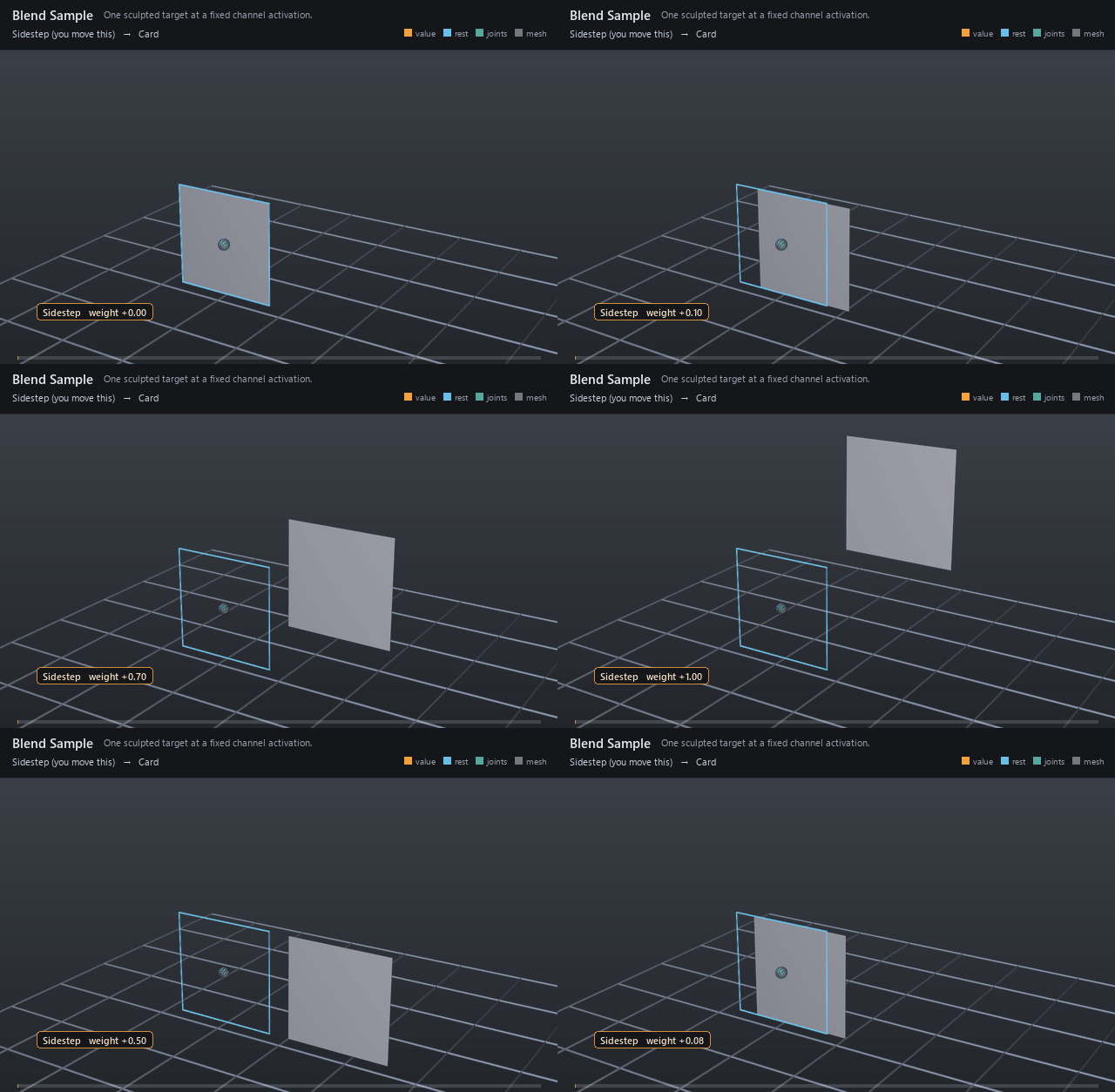
A single pose on a channel's travel: full targets at activation 1, in-betweens anywhere between. In-betweens shape the path — corners that widen before they lift, lids that lag then catch up — instead of the straight line one target would give.
One target or in-between activation, related EITHER to an exact native target-shape points property or to a UsdSkelBlendShape carrying the same shape as sparse offsets. Exactly one of rigExec:targetPoints and rigExec:blendShape may be authored.
How it works
Each sample names its sculpt through rigExec:targetPoints, or as
sparse offsets on a UsdSkelBlendShape through rigExec:blendShape, and its
position on the channel through rigExec:activation. The channel
interpolates between neighboring samples by weight, so a 0.5 sample is
the pose the channel passes through halfway up.
Wiring
| Relationship | Points to | Required |
|---|---|---|
rigExec:targetPoints |
Native points prim or exact points property holding the sculpt. | one of these two |
rigExec:blendShape |
A UsdSkelBlendShape holding the sculpt as sparse offsets; authoring both is a compile error. | one of these two |
| (listed by) | The parent blend input's rigExec:samples. |
- |
Parameters
Node parameters
rigExec:activation
Type: float. Default: 1.
rigExec:targetPoints
Relationship.
Exact native points property of the target shape.
rigExec:blendShape
Relationship.
A UsdSkelBlendShape whose offsets (and pointIndices, when non-empty) ARE the sample's deltas -- the same shape rigExec:targetPoints expresses as a full moved-points array, stored as only the points that move. An empty pointIndices means the offsets are dense and parallel to the base points.
This exists because the dense form's cost does not depend on the weight. A dense sample's full points array is read and copied off the stage once per sample per frame whether its channel sits at 0 or at 1, so a full set of correctives pays that copy every frame even with the rig at rest. Correctives move a small fraction of the mesh, so the sparse form is not an optimization of the dense one; it is the difference between a rig that runs and a rig that does not.
Mutually exclusive with rigExec:targetPoints: authoring both is a compile error rather than a precedence rule, because a silent winner between two shapes that disagree is the worst of the three outcomes.
Example
One channel with two samples: at activation 0.5 the card shifts right, at 1.0 it sits right and up, so sweeping the weight draws a curved path instead of a straight slide.
Open it live with:
Re-render the GIF above with:
Tips
- Activations need not be uniform: cluster in-betweens where the path curves hardest.
- Keep every target's point count identical to the moved mesh — topology must match exactly.