TouchPose
Touch the character to select the control that moves it. Hover the skin and the painted region under the cursor lights up; click, and that region's control becomes the selection.
Open RigExec ▸ Animation Editors ▸ TouchPose and tick Touch the character to select its control (or press T in the panel).
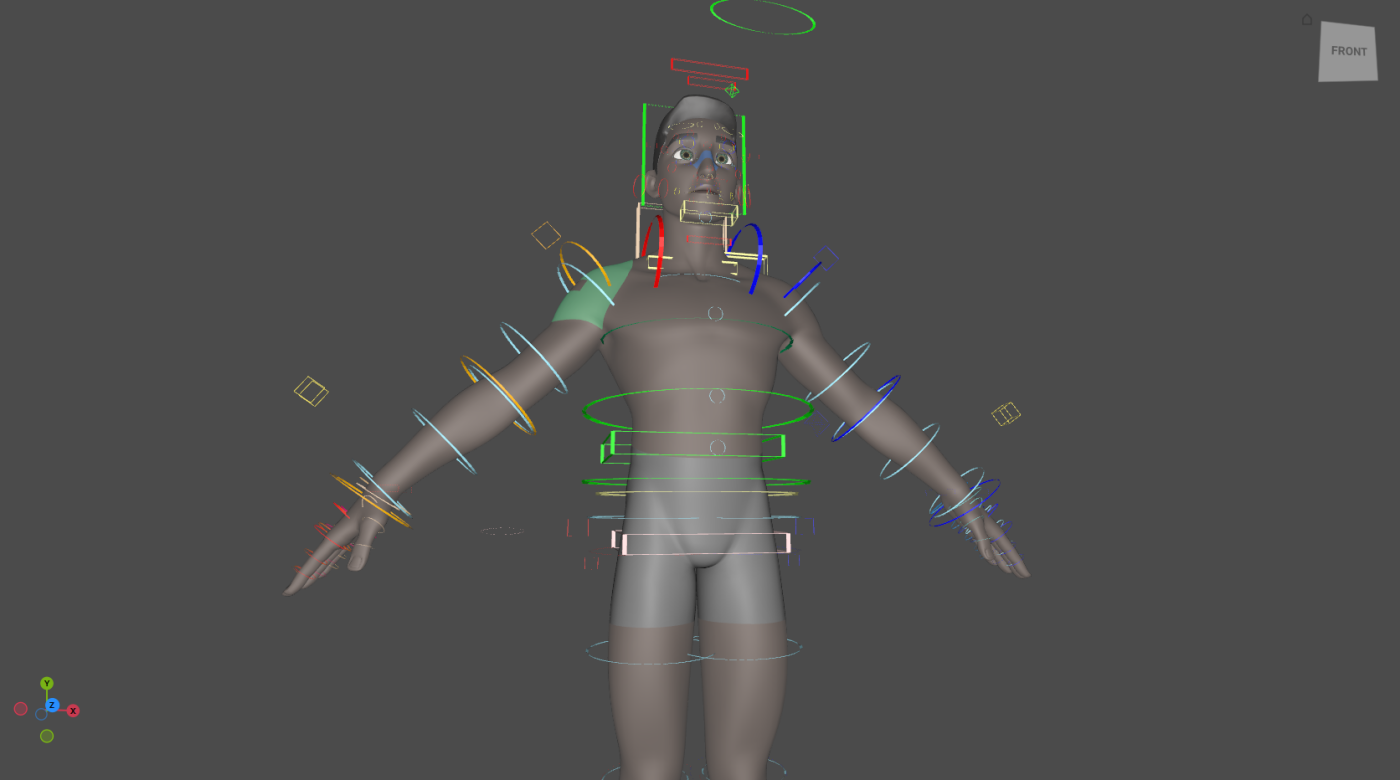
Selecting
The rules are the Control Picker's, to the letter.
| Gesture | Does |
|---|---|
| Click a region | Select its control, replacing the selection. |
| Shift + click | Add or remove. |
| Ctrl + click | Remove. |
| Drag | Box-select every region the box touches, plus any control it covers. |
| Click the skin off every region | Clear the selection (with no modifier). |
| Click away from the character | Left to usdview: the camera, the gizmo and normal picking still work. |
| Right-click a region | The marking menu, for that region's control. |
| { .rx-keys } |
While TouchPose is on, the character's mesh is not selectable: a click on the skin belongs to TouchPose. TouchPose stands down while a gizmo drag or a scrub is in progress, and comes back when it ends.
Painting regions
Regions are authored by painting. With Paint on (P in the panel), a drag gives the faces under the brush to the region selected in the panel's list, and Shift + drag takes them away. Painting edits the regions in memory; Save regions (Ctrl+S) writes the touch layer beside the rig, never the rig itself.
| Key (in the panel) | Does |
|---|---|
| T | Turn TouchPose on or off |
| P | Turn painting on or off |
| Ctrl+A | Select every region's control |
| Ctrl+Shift+A | Clear the selection |
| Ctrl+I | Invert the selection |
| Ctrl+S | Save the regions |
| { .rx-keys } |
The panel also sets the highlight's opacity and the colours of the lead (last selected) and selected regions.
How it stays fast
The pick is a bounding-volume tree over the posed triangles, refit in parallel when the rig publishes a new pose, so a ray costs microseconds. The highlight is a shader on the skin's own material, fed a per-face region id and a small colour table: hovering uploads one value, and nothing is authored on the stage.
Authoring regions as data
Regions are RigExecTouchRegions and
RigExecTouchRegion prims, composed into the
stage beside the rig the way a picker is.